
For employers
Find, favorite, and invite talent
Use filters as discovery tools, evaluate complete profiles, and send relevant invitations instead of waiting only for applications.
Employer talent search gives you a proactive path when inbound applications are slow or a role requires a specific skill. Search results are discovery candidates, not endorsements or guaranteed matches. Review the complete profile and conduct your normal hiring checks before making a decision.
Search from the real requirements
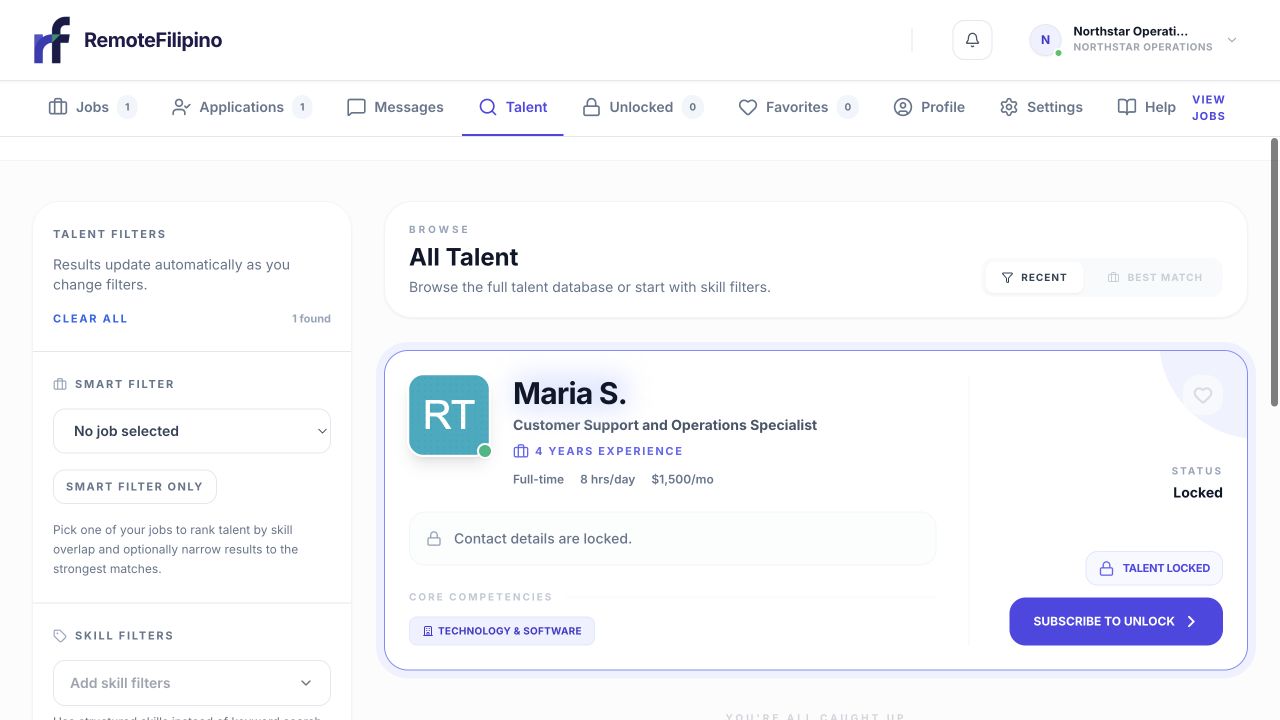
Search results combine experience, availability, skills, and current contact status in one card.
Open Talent in the employer workspace. Start with the most important role, skill, or tool and only then add filters. Use a broad search when a strict combination produces no results. Candidate vocabulary varies: an executive assistant may emphasize operations, administration, scheduling, or customer support rather than the exact title you used.
Avoid filtering on preferences that are not truly necessary. Overly narrow experience, schedule, or skill requirements can hide transferable candidates. Keep selection job-related and follow the Anti-Discrimination policy.
Evaluate the complete profile
Read the headline, summary, skills, work history, availability, and résumé where accessible. Look for evidence connected to the role: specific tools, task ownership, customer type, work volume, or outcomes. Check whether dates and claims are internally consistent. A profile’s presence on the platform is not a full background check or guarantee of identity, availability, performance, or interest.
Create a small comparison scorecard using the essential job criteria. This keeps a polished photo, a single keyword, or an Apply Points amount from dominating the decision. Verify important claims during interview and reference or background checks where lawful and appropriate.
Use Favorites as a shortlist
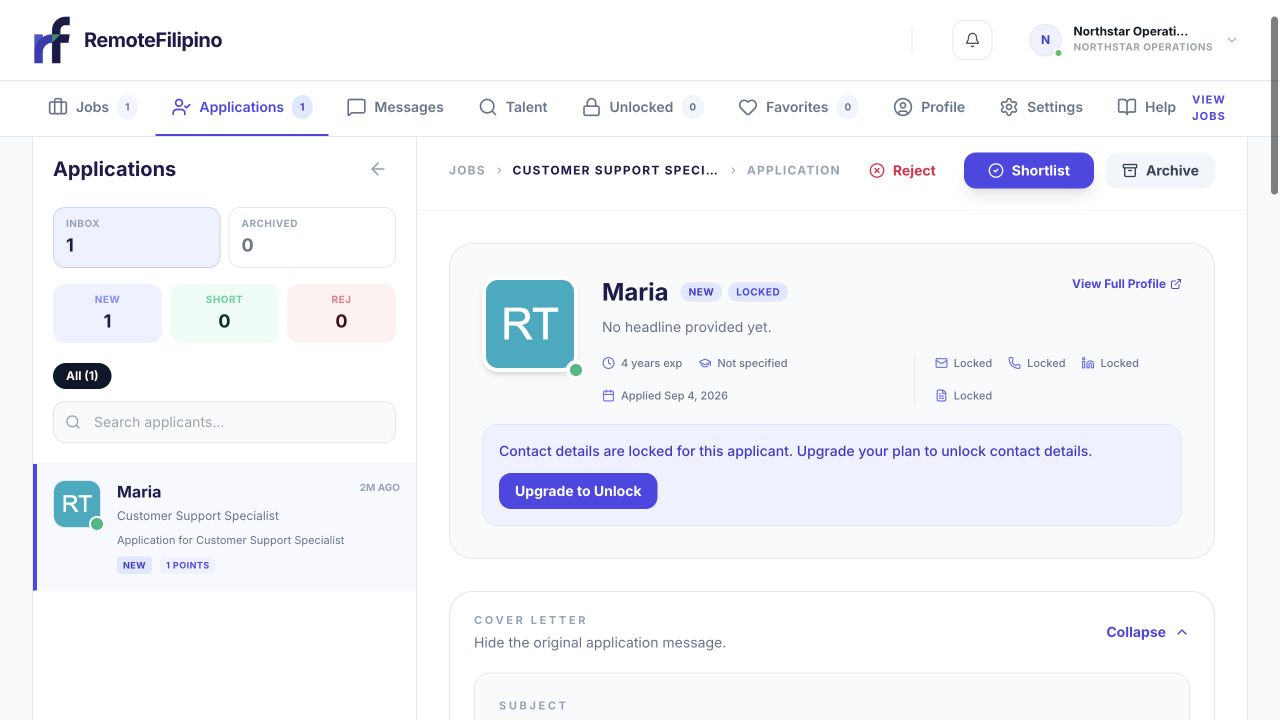
Use Shortlist and Archive to keep a focused working set as candidates move through review.
Select the favorite action to save a promising profile. Favorites organize your employer account; they do not contact the person or create an application. Review the list regularly, remove outdated choices, and note which job each person might fit. A candidate can change availability or profile information after you save them.
If several hiring team members use the platform, agree on the criteria for adding and removing favorites. Do not download or redistribute candidate information beyond people who legitimately need it for hiring.
Invite talent to a specific job
When the product offers an invite action, select an active, relevant job and send the invitation. The listing should already explain responsibilities, schedule, compensation, and requirements. Invitations ask a candidate to consider applying; they do not create an application, guarantee interest, reserve the person, or guarantee a reply.
Send invites selectively. A highly relevant explanation is more credible than broad unsolicited outreach. If the job is paused, closed, or at its application limit, resolve that status before inviting more people.
If search is empty or low quality
Remove filters one at a time, try related titles or tools, and revisit the requirements. Complete the company profile and improve the job so candidates can evaluate it. Search availability reflects current profiles and cannot guarantee a candidate in every specialty. Consider Concierge Hiring if the current service description fits a more hands-on search.
Contact support if filters behave inconsistently, Favorites do not save, or an invitation records the wrong job. Include company name, account email, search or profile URL, filters, job link, time, browser, and screenshot.
Related guides
Was this article helpful?
Tell us whether this answered your question.