
For employers
Review and manage applicants consistently
Turn applications into a defensible shortlist using the same job-related evidence for every candidate.
The Applications workspace brings candidate submissions together by job. Use it to compare relevant evidence, maintain a workable shortlist, and follow up promptly. RemoteFilipino provides organization and contact workflows; your company remains responsible for lawful, fair hiring decisions and for verifying information needed for employment.
Prepare a scorecard before reviewing
Turn the listing into a short set of job-related criteria. Separate essential requirements from preferences and decide how you will assess each one. Useful dimensions include directly relevant work, proficiency with required tools, communication, schedule overlap, task evidence, and responses to screening questions.
Apply the same core criteria to every applicant. Do not use age, disability, family status, ethnicity, religion, gender, or other protected characteristics to make decisions. Read the Anti-Discrimination policy and obtain appropriate professional advice for the jurisdictions involved.
Review each application
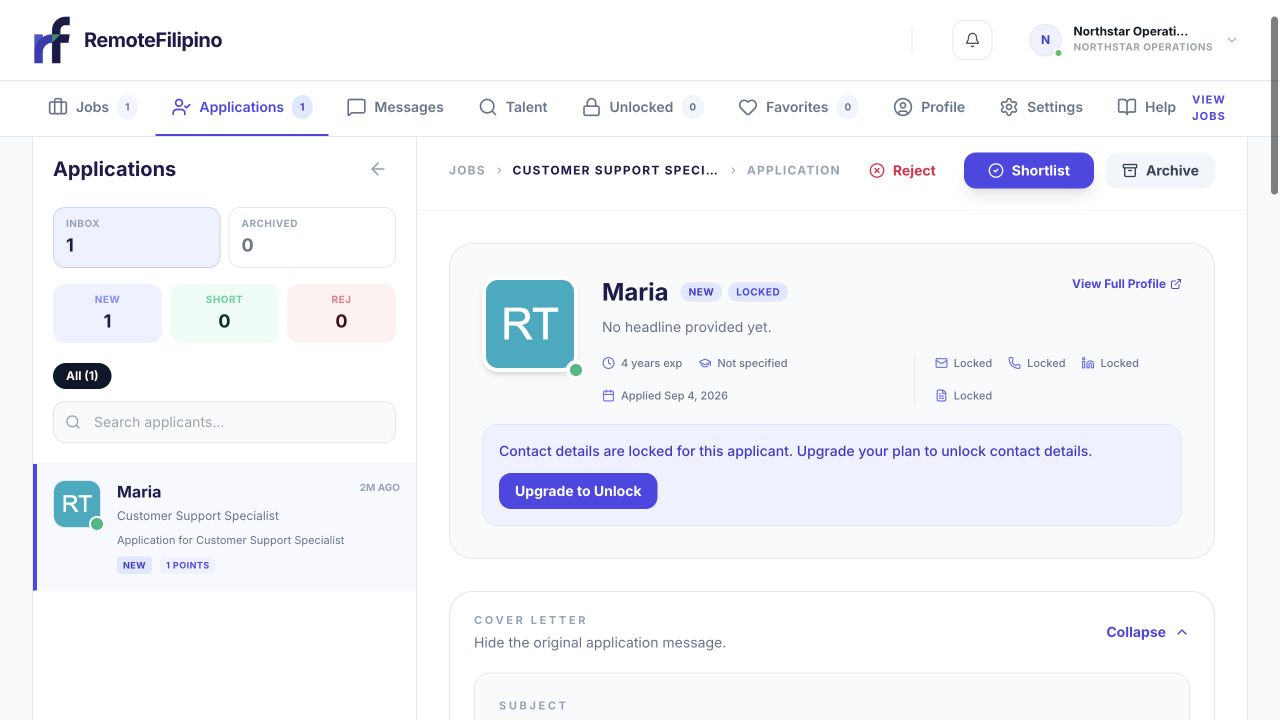
Start with the candidate summary, experience, application date, and supplied documents.
- Open Applications and select the correct job.
- Read the application answers before relying on the headline alone.
- Open the talent profile and résumé where available.
- Check whether dates, skills, and examples are internally consistent.
- Record the current hiring status using the actions available.
- Save or favorite promising people when that supports your workflow.
- Start a message or unlock contact information only for credible fits.
Apply Points can signal candidate interest, but they should not replace evaluation of the actual evidence. A larger point amount is not proof of higher skill, identity, or availability. Likewise, a polished profile does not remove the need for interviews and role-appropriate checks.
Move quickly but thoughtfully
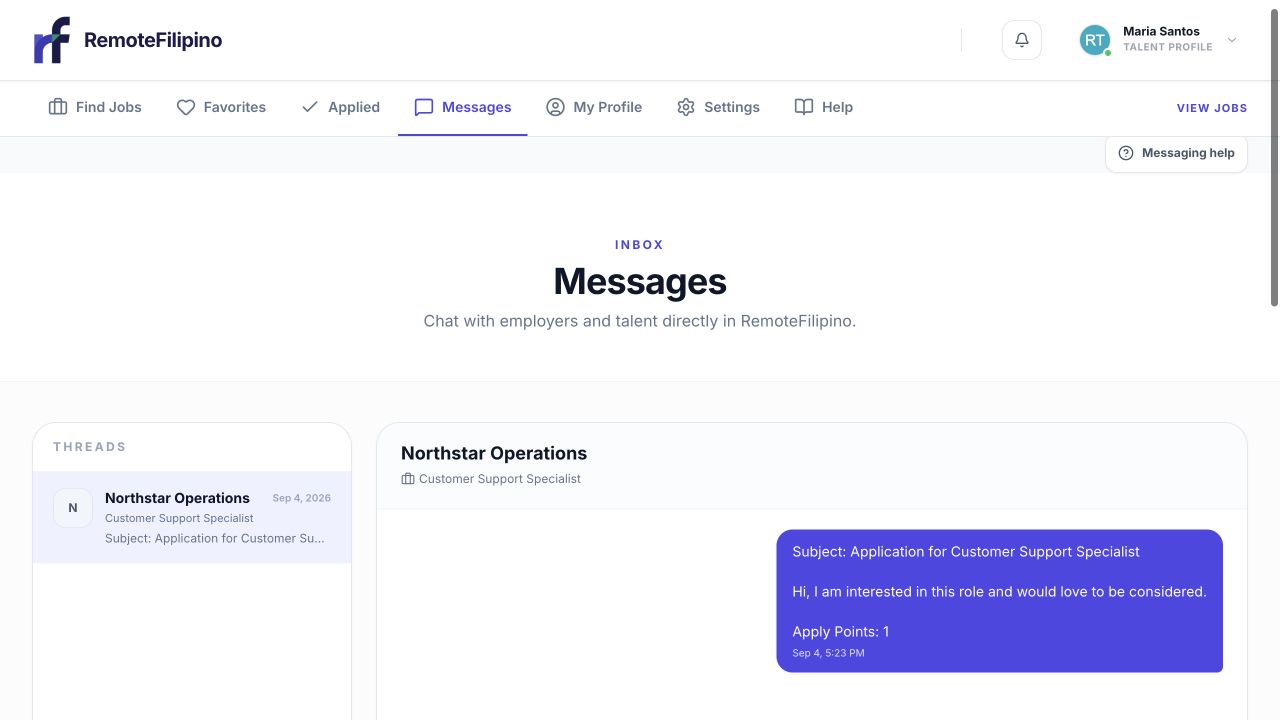
Move shortlisted candidates into a structured conversation while the application context is fresh.
Strong candidates may be speaking with several employers. Acknowledge credible applications, explain the next step, and avoid leaving active candidates without updates after interviews. Use a structured call or assessment connected to the real work. Keep test tasks reasonably scoped and do not use unpaid applicants to generate substantial business output.
When rejecting or closing a role, communicate respectfully where practical. Do not ask candidates to pay fees, buy products from a required source, transfer funds, share account credentials, or expose sensitive identity data before a legitimate need and secure process exist.
If applications look weak or irrelevant
Re-read the listing from a candidate’s perspective. Check whether the title is searchable, compensation and schedule are clear, essential criteria are explicit, and screening questions solicit evidence. Remove contradictory or unnecessary restrictions. Browse and invite suitable talent instead of relying only on inbound volume.
High application volume can still produce a small shortlist, and a specialized role may produce few applications. The platform cannot guarantee an application count or hire. Change the inputs based on the role rather than lowering safety or accuracy standards.
Application page troubleshooting
Confirm the job selector and any status filters. Reload and try a private window if the count and list disagree. If a profile fails to open, capture the applicant and job identifiers visible in the URL. Do not ask the applicant to submit multiple times solely to repair an employer-side display issue.
Contact support with company name, account email, job link, applicant name or profile link, expected status, actual behavior, time, browser, and screenshot. Avoid sending sensitive résumé content unless specifically needed for the investigation.
Related guides
Was this article helpful?
Tell us whether this answered your question.