
Troubleshooting
Fix messages, payments, credits, or account access
Verify the correct account and recorded transaction before retrying a message, unlock, portal action, or payment.
Messages, payment, credits, and employer access are connected to a specific authenticated account. Start by verifying the email, role, company, and recorded transaction. Do not create another account, repeat payment, or unlock again until you know whether the first action succeeded.
Confirm the correct account
Sign out and sign in with the email used for the conversation, application, employer company, or checkout. Verify whether the workspace is Talent or Employer. A wrong-role route can redirect because account type protects role-specific data. If the role itself is wrong, contact support; it cannot currently be changed through normal Settings.
For employer billing, find the official receipt and compare its email with the account. For talent messages, confirm the application appears in Applied. For employer messages, return to the applicant, unlocked profile, or relevant job to identify the intended thread.
A message is missing or will not send
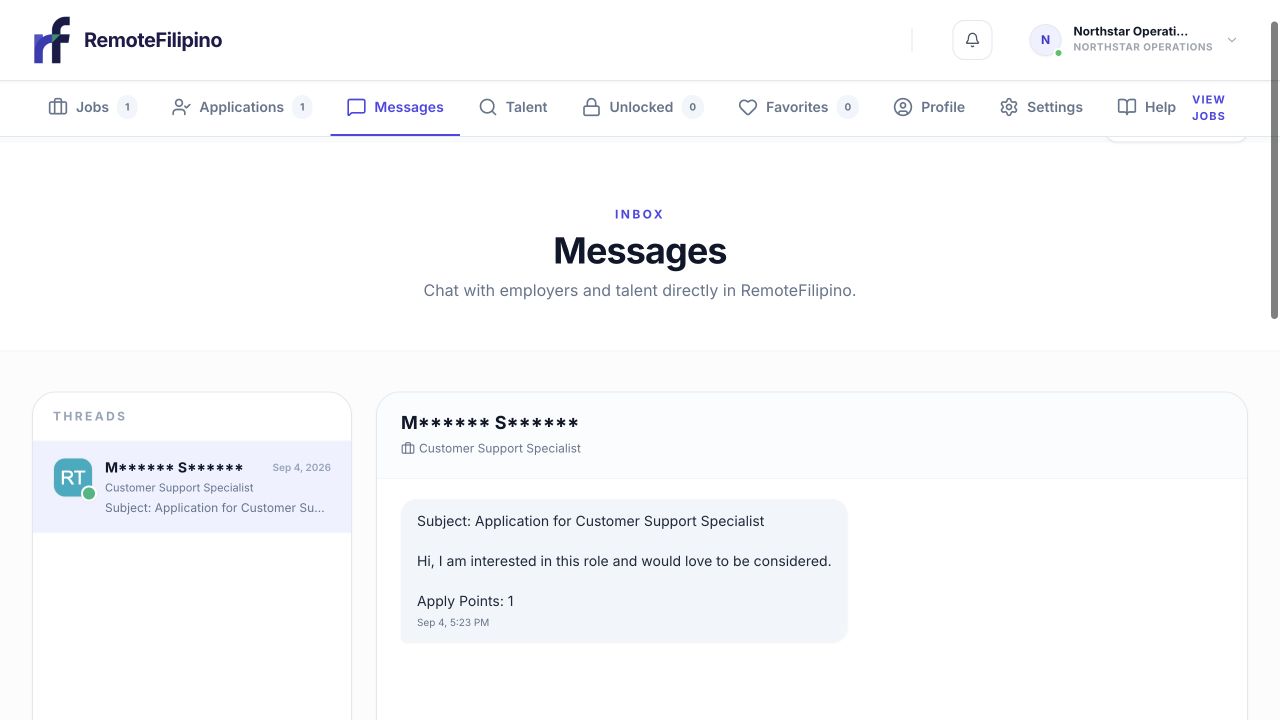
A visible access notice helps distinguish an account-entitlement issue from a failed message send.
Clear thread filters, select the correct conversation, and reload. Confirm the recipient and job context. Platform messages are text-based; remove unusually long pasted formatting and retry one concise message. If a send appears slow, wait and reload the thread before clicking again.
A sent message does not guarantee that the other user will reply. Support can investigate a missing technical record, but cannot compel a candidate or employer to respond. Never share passwords, email codes, bank credentials, or unnecessary identity data in a hiring message.
Payment succeeded but access is missing
- Confirm the checkout completed and locate the receipt.
- Sign in with the purchase email.
- Reload Settings and the relevant employer page.
- Open the billing portal and check current status.
- Check for payment failure, pending state, cancellation, or expiry.
- Capture the screen and transaction reference before retrying.
Do not pay again only because the return page failed or access did not refresh immediately. A bank authorization alone may not be final settlement, while a completed receipt with missing product access needs investigation.
Credits or unlocked talent look wrong
Record the credit balance before and after the action. Check Unlocked for the profile. Reopening a successfully unlocked unique talent profile should not consume another credit. If the contact data is absent, reload once before taking another action.
An unlock reveals the contact information currently available; it does not guarantee that every field is current or that the person will reply. Report invalid information with the profile link and the field type, without circulating the person’s private data unnecessarily.
Billing portal trouble
Open the portal from Settings in a current employer session. Allow required cookies and redirects, disable blockers, and retry in private mode. Do not use an old portal session copied from another person. If cancellation is time-sensitive, email support immediately with the error and timestamp rather than assuming the request succeeded.
Rule out browser state
Test one private window and a current browser on a stable network. If it works, clear only RemoteFilipino site data in the normal browser. Keep screenshots of the original state, but redact message content, résumé data, contact details, and financial information not needed for diagnosis.
Contact support with account email, company or talent name, relevant links, transaction reference when applicable, before-and-after balances, exact error, time and time zone, browser, device, and screenshot. Mask complete card and bank details and never send a password or sign-in code.
Related guides
Was this article helpful?
Tell us whether this answered your question.