
For talent
Understand talent profile review and approval
Understand profile status, what reviewers look for, and what to do if information needs correction.
RemoteFilipino may review talent information to keep profiles useful to employers and reduce misleading or unsafe activity. Review is a quality and integrity check; it is not a promise of a job, endorsement of every claim, background check, or guarantee that an employer will contact you.
What reviewers need to understand
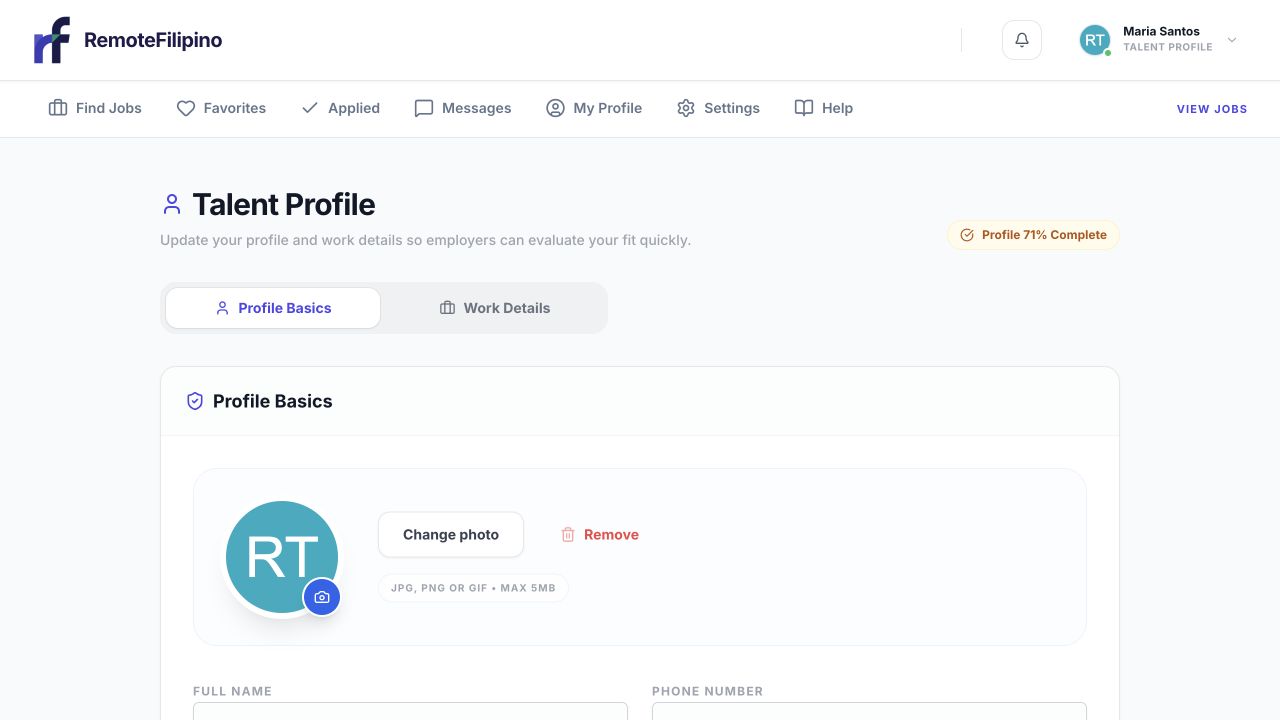
The profile editor shows completion progress and the sections still available for review.
A reviewer should be able to identify who you are professionally, the kind of remote work you can perform, the experience supporting those claims, and whether your profile is internally consistent. Complete the required fields, use a real professional identity, and provide enough detail for an employer to assess fit.
Strong profiles normally include:
- A clear, role-specific headline and summary
- Current contact and location information
- Relevant skills rather than an oversized list
- Work history with plausible dates and responsibilities
- A readable, current PDF résumé
- A professional photo that represents the account holder
- Work preferences consistent with the jobs being pursued
Reasons a profile may need attention
A profile can remain incomplete or require correction when required fields are blank, the résumé cannot be read, dates conflict, the headline is too vague, skills do not match the described experience, contact details appear invalid, or content looks copied, misleading, or unsafe. Duplicate accounts and profiles that impersonate another person can also require investigation.
Do not add unverifiable employers, degrees, certificates, tools, or years of experience merely to pass review. Accurate gaps are better than false detail. If a field does not fit your background, explain your transferable experience in the summary.
Check your current status
After completing the four setup stages, use the talent guides to interpret review status and next steps.
Open My Profile and read any notice shown near the completion or status area. Complete the requested fields and save. Reload the page to make sure the latest version is visible. If the profile was created for you and later claimed, confirm that imported information still describes you accurately.
Review times can vary with submission volume and whether information needs manual attention. Avoid creating another account or repeatedly resubmitting unchanged information; that can make the history harder to resolve.
Improve a profile after feedback
- Read the entire notice before editing.
- Correct the specific section instead of replacing accurate sections unnecessarily.
- Reconcile dates and titles with the résumé.
- Remove unsupported claims and unrelated skills.
- Save once and confirm the changes persist.
- Wait for the status to update before contacting support unless the notice instructs you otherwise.
Approval does and does not mean
Approval means the profile met the platform’s current publishing or participation checks. It does not certify identity, guarantee employer interest, rank you above other candidates, or override the requirements on a job. Employers still make their own screening and hiring decisions. Keep the profile current after approval; materially inaccurate updates can be reviewed again.
When to contact support
Contact support when the profile is complete but the status has not changed beyond the timing stated on screen, you cannot correct a flagged field, or the status appears inconsistent across pages. Include the account email, profile link, current status text, date of the last change, and a screenshot. Never send passwords, sign-in codes, or unnecessary identity documents.
Related guides
Was this article helpful?
Tell us whether this answered your question.