
For talent
Find, filter, and save suitable jobs
Use broad searches first, narrow deliberately, and evaluate the full listing before applying.
The fastest way to find good opportunities is to search for work you can already support with evidence. RemoteFilipino job availability changes as employers publish, pause, and close listings, so save useful searches and return regularly rather than expecting the same results every day.
Start broad, then narrow
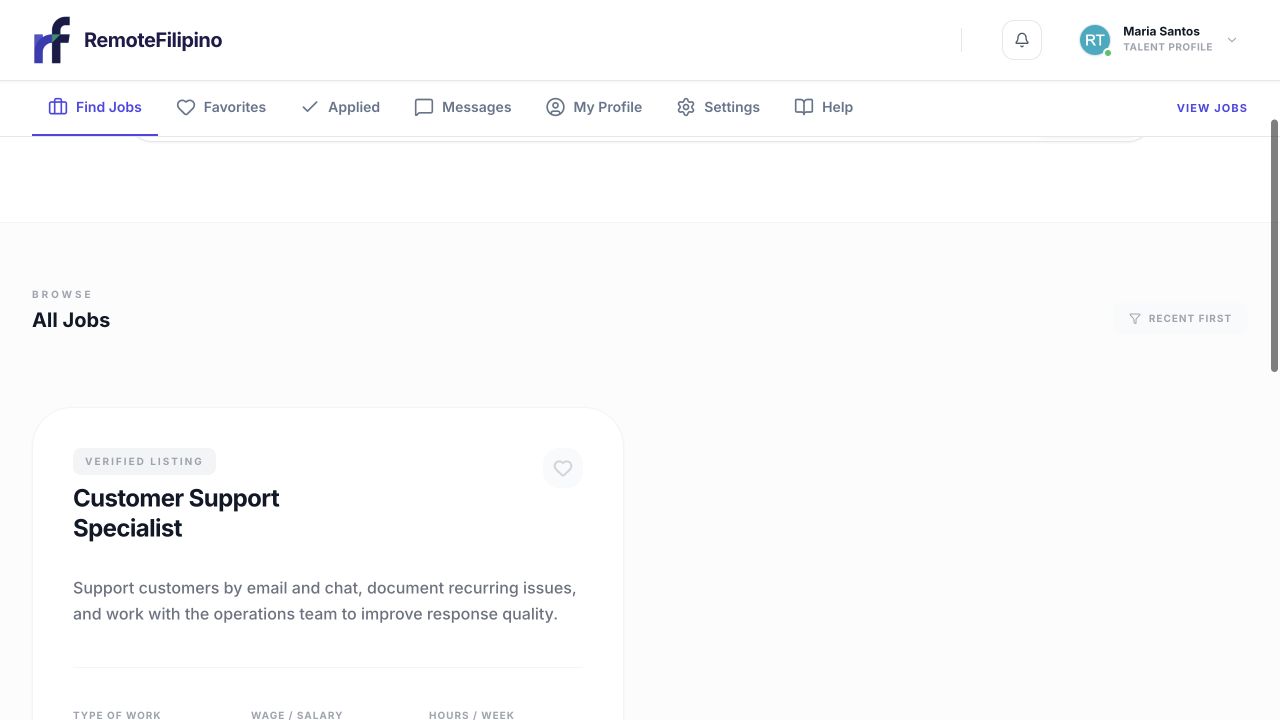
Start with the talent onboarding path, then narrow your job search around real skills and availability.
- Open Find Jobs.
- Search for a recognizable role, skill, or tool, such as bookkeeper, customer support, video editor, or QuickBooks.
- Read the first set of results before adding filters.
- Add one filter at a time for role, schedule, experience, or other available criteria.
- If results disappear, remove the most restrictive filter and try a related term.
Employers do not all use the same title. A virtual assistant role might be described as executive assistant, operations assistant, administrative support, or customer service. Try the work itself—not only your preferred title. Avoid typing full sentences into a keyword field.
Evaluate fit before spending time on an application
Begin with the full job list, then narrow around role keywords, skills, and working requirements.
Open the full job and check responsibilities, required tools, work hours, location or time-zone expectations, experience level, employment arrangement, compensation information, and application questions. Separate true requirements from preferences. Apply when you can explain the match honestly; do not claim experience you do not have.
Be cautious when a listing asks for payment, account access, money transfers, cryptocurrency, gift cards, or sensitive identity details before a legitimate hiring process. Follow Staying safe and reporting problems if anything feels suspicious.
Use Favorites as a working list
Save promising jobs to Favorites while comparing them. A favorite is private organization for your account; it does not notify the employer and is not an application. Reopen saved jobs promptly because an employer can pause or close a listing and a job-level application limit may be reached. Remove jobs that no longer fit so the list stays useful.
If you see no jobs
Clear all filters and search again with one broad term. Check spelling and common alternatives. Confirm you are in a talent account rather than an employer workspace. Reload the page once and try a private window if the result looks stale. If the page loads but a particular category is empty, there may simply be no currently published listing matching that combination.
RemoteFilipino search shows available platform listings; it cannot guarantee that a role in every specialty, schedule, or experience band will be open at the moment you visit. Do not create duplicate profiles to try to reveal different jobs.
If a job opens but cannot be applied to
Read the status on the job page. It may be paused, closed, no longer accepting applications, or at its application limit. You may also need to finish your profile or have enough Apply Points for the amount you choose. Use the exact message shown to select the relevant troubleshooting path.
Improve future results
Keep your skills and work preferences current, search several related terms, and revisit the newest listings. Apply selectively and quickly when there is a credible fit. A precise profile and application will usually help more than maximizing raw application count.
If search remains broken after clearing filters, contact support with your account email, search term, active filters, page URL, browser, time, and screenshot.
Related guides
Was this article helpful?
Tell us whether this answered your question.