
For talent
Understand Apply Points and application limits
See how Apply Points pace applications and how job-level limits differ from your personal balance.
Apply Points help pace applications and let talent signal interest in a role. They are not money, wages, a ranking guarantee, or a promise that an employer will respond. Your point balance and a job’s application availability are separate controls, so read the message shown in the application flow before deciding what to do.
Your Apply Points balance
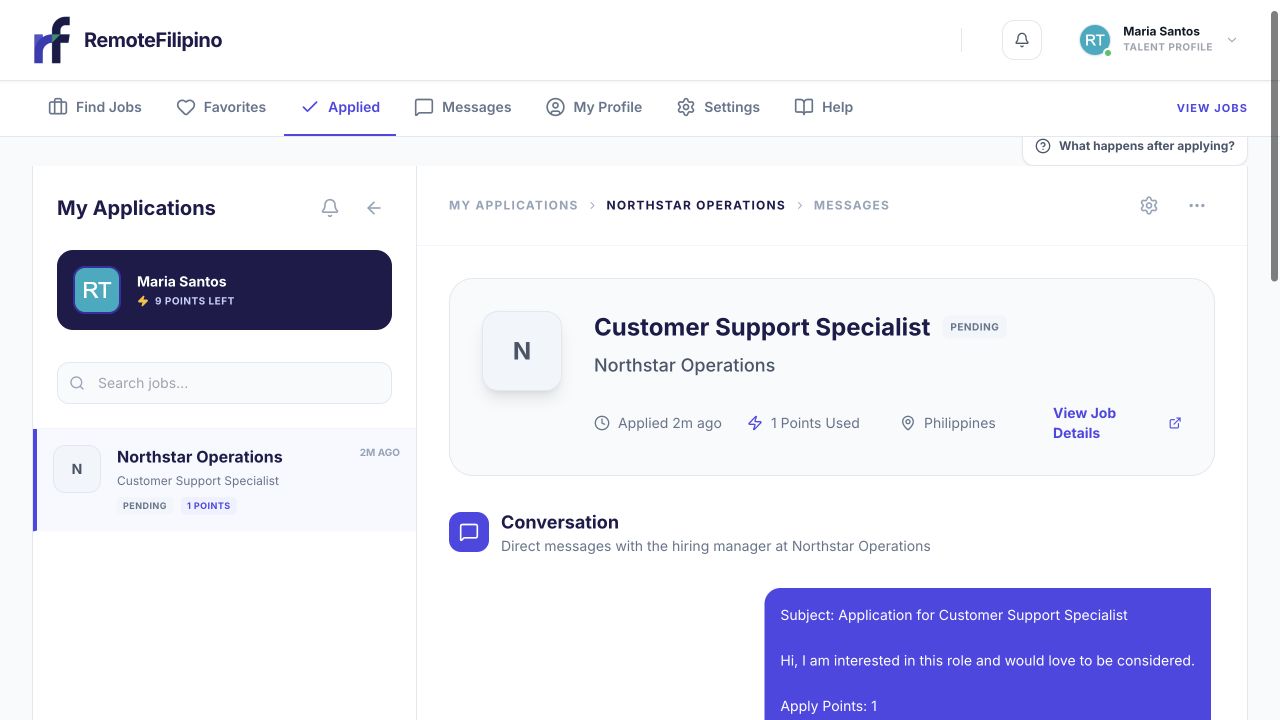
My Applications shows the points used for a submission and the balance remaining on the profile.
Your current balance appears in the talent workspace and application flow. Eligible talent accounts receive a daily replenishment of 10 points at the UTC day boundary, up to a balance cap of 60. If you are already at the cap, another daily credit does not increase the balance beyond it. Timing in your local time zone may therefore look different from midnight where you live.
When applying, choose a whole-number amount within the options shown. You cannot spend more than the current balance, and the application request is also validated by the platform. The amount is committed as part of submission; refreshing the page does not create extra points.
Spend points deliberately
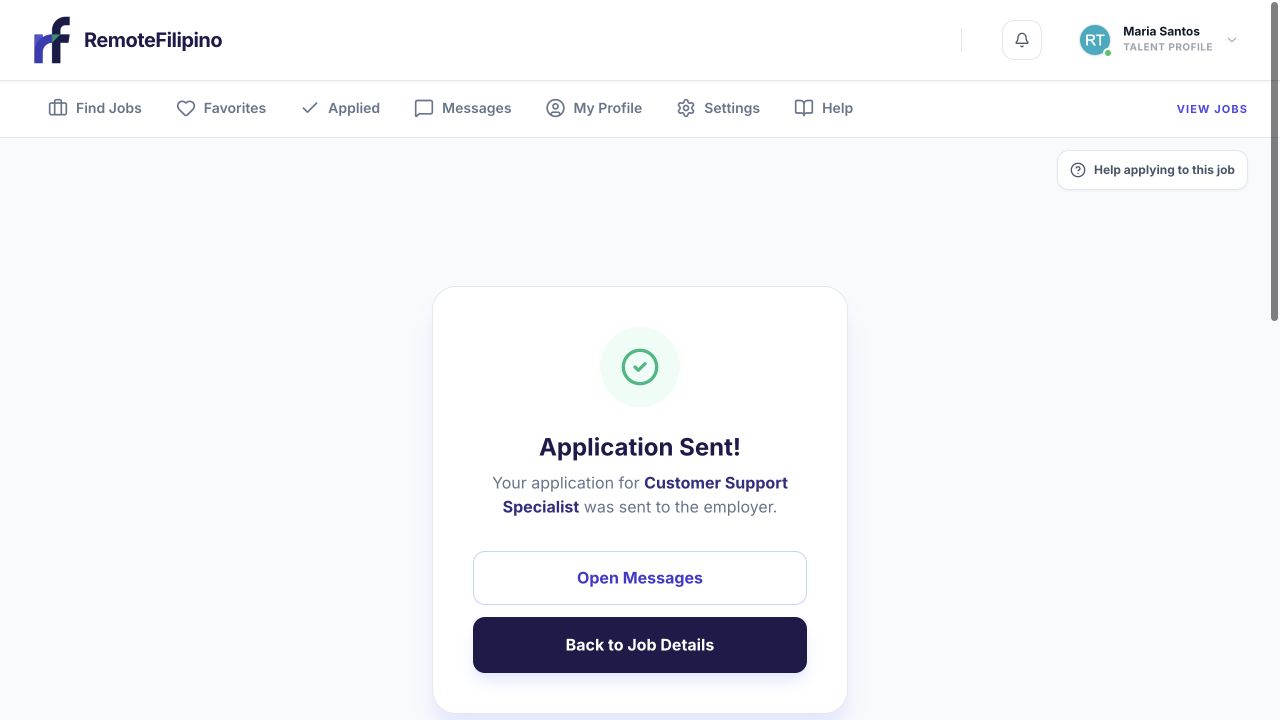
The confirmation records the successful application; use your application history to avoid duplicate submissions.
Read the entire listing before choosing an amount. Consider whether your recent experience, required tools, schedule, and compensation expectations fit. Use the application answers to show specific relevance. Spending more points cannot repair a weak fit, an incomplete profile, or a generic application, and it does not force the employer to review or reply.
Avoid treating points as a contest. The employer sees the complete application context and makes an independent hiring decision. Accurate evidence and a clear answer to screening questions remain important.
Job-level application limits
An employer’s current access may place a maximum number of applications on a listing. When that job-wide limit is reached, the platform can stop accepting additional applications even if you still have Apply Points. The message Application limit reached for this job refers to the listing, not to an error in your personal point balance.
A job can also become unavailable because it was paused, closed, removed, or changed while you had the page open. Reopening the listing confirms its latest status. Support cannot promise to reopen a full or closed listing or manually place an application outside the normal flow.
Common point and limit problems
- Balance did not rise: confirm the UTC day has changed and that the balance was below the cap. Reload after signing in again.
- Amount is rejected: choose a whole number that does not exceed the balance and remains inside the current form limits.
- Points appear to change after submission: first check Applied before trying again; the application may already have succeeded.
- Job reached its limit: save or remove the job, then continue searching for another suitable opening.
- Apply button is unavailable: complete required profile information and read the job status.
Do not submit repeatedly during a slow response. A retry can create confusion about whether the first application reached the server. Check Applied, reload once, and capture the exact error before contacting support.
When to contact support
Contact support if the recorded balance and application history remain inconsistent after a reload, or if points were deducted without an application appearing in Applied. Include the account email, job link, balance before and after, amount selected, approximate time, browser, and screenshot. Never send your password or sign-in code.
Related guides
Was this article helpful?
Tell us whether this answered your question.