
Getting Started
Start here: hire Filipino remote talent
Set up a credible employer profile, publish a clear job, review applicants, and begin direct conversations.
RemoteFilipino helps employers hire Filipino remote talent directly. The platform gives you tools to describe the role, receive and review applications, browse talent, and contact suitable people. Hiring decisions, interviews, contracts, and working arrangements remain between you and the candidate.
1. Set up the correct account
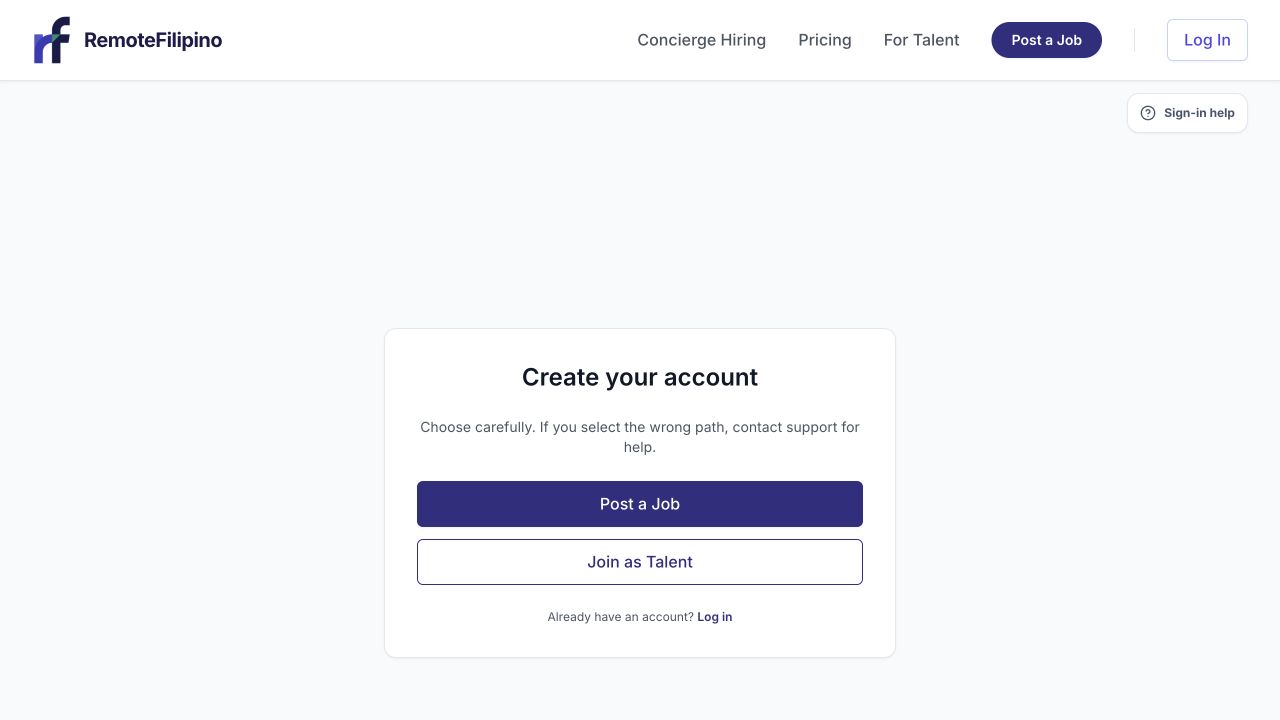
Choose Post a Job for the employer path and Join as Talent only when you are looking for work.
Sign in or create an account with an email your hiring team can retain. Choose Employer looking to hire when asked for the account type. If an existing account has the wrong role, contact support; account type is not currently a self-service switch.
Complete the company profile before outreach. Add the company name, website, description, location, and recognizable branding. Candidates use these details to judge whether a job is credible. If some company information is intentionally protected in the public job view, explain the business and role clearly enough for qualified people to evaluate the opportunity.
2. Write a job candidates can assess
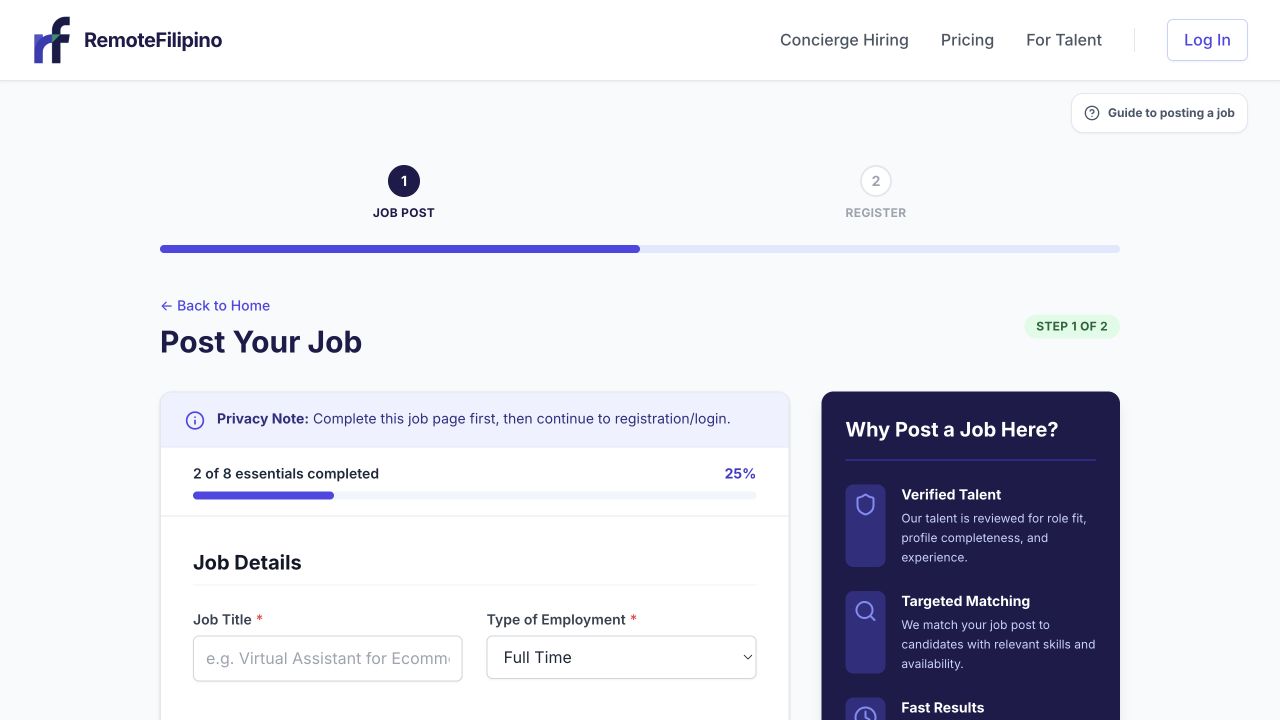
The employer journey begins with a complete job brief, then continues to registration or sign-in.
Open Post a Job. Use a recognizable title and describe responsibilities, required experience, working hours, employment arrangement, and compensation accurately. Separate essential requirements from preferences. Add focused screening questions only when the answer will change your decision.
Avoid vague promises, misleading titles, unpaid test work, requests to move money, or instructions that require applicants to buy something. Review the current pricing and access options before publishing because offers, visibility, and account limits can change. The live page and the terms shown during checkout are the source of truth.
3. Confirm listing status
After submission, open Jobs. A listing may be a draft, awaiting review, published, paused, or closed. Its current status controls whether talent can find or apply to it. Do not assume a completed form is already public. If review is required, wait for the status to update before reposting or duplicating the job.
4. Review applicants consistently
Open Applications and select a job. Compare each person against the same essential criteria: relevant work, tools, communication, schedule, and evidence in the profile or résumé. A high application count is not the same as a strong shortlist. Record decisions promptly and avoid using protected personal characteristics in hiring decisions.
5. Start direct conversations
Use Messages when an applicant is available there, or unlock contact details when that is part of your current account access. Unlocking reveals the contact information currently available for one talent profile; it does not guarantee a reply, interview, or hire. Previously unlocked people should not consume another unlock merely because you reopen the profile.
If results are thin
Check that the job is published, the title uses language candidates search for, required filters are not unnecessarily narrow, compensation and schedule are clear, and your company profile looks complete. Browse talent and invite relevant people instead of relying only on inbound applications.
For an account-specific issue, send support your company name, account email, listing link, exact status or error, and a screenshot. Do not send full payment-card details or sign-in codes.
Related guides
Was this article helpful?
Tell us whether this answered your question.