
For employers
Understand plans, credits, and conversations
Use the live pricing, checkout, billing, and account screens as the source of truth for changing employer access.
RemoteFilipino employer access can include job publishing, application review, talent search, contact unlocks, and conversations. The exact combination depends on the current offer and account state. Prices, plan names, credit quantities, and limits are intentionally not copied into this article because they can change.
Find the authoritative information
Use Pricing to review current public options. During purchase, read the checkout page for amount, currency, billing interval, renewal, included access, and applicable terms. After purchase, use the authenticated Settings and billing portal to confirm the subscription attached to your account.
An older sales message, cached page, or screenshot may describe a prior offer. It does not replace the terms accepted for an existing purchase. Save the checkout receipt and confirmation email for account-specific support.
Distinguish access types
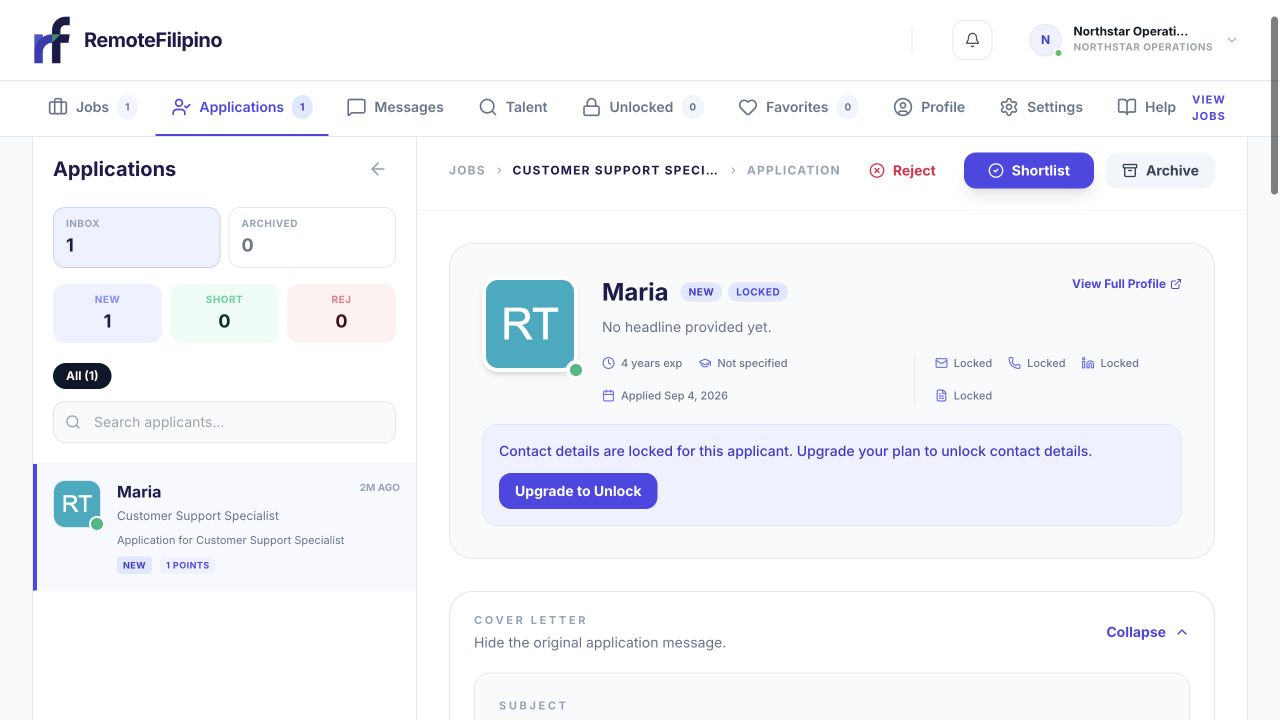
A locked contact card indicates that contact details and messaging access are not currently available for that applicant.
A job-posting action publishes or submits a listing under the current workflow. Application access lets you review responses received by that job. A contact credit unlocks the contact information currently available for one unique talent profile. Conversation access supports messaging when the connection and account state permit it. These actions are related, but one does not automatically guarantee all the others.
An unlock does not buy a candidate response, interview, or hire. A published job does not guarantee a number of applications. A subscription does not guarantee placement in search or hiring success. Employers must review evidence, contact suitable people, and run an appropriate hiring process.
Check credits before outreach
A locked-contact notice identifies the exact applicant conversation that still requires access.
Review the current balance in the employer workspace. Evaluate the complete profile before unlocking and connect the decision to an active job. Previously unlocked talent should remain available in Unlocked, and reopening that same profile should not consume another credit. If a slow page creates uncertainty, verify Unlocked and the balance before repeating the action.
Use credits selectively rather than unlocking every search result. Search and Favorites can support comparison before contact data is needed. Keep candidate information secure and use it only for legitimate recruitment.
Conversations and replies
A visible message action can depend on an application, invitation, unlock, or other current entitlement. Write a contextual first message and state the company, job, and next step. A sent message does not guarantee the recipient will reply or remain available.
If the message action is missing, check the employer account, job, connection status, and current access. Do not create another account or purchase again merely to work around an unexplained state.
If you need different access
Open Pricing from the current session and compare options against active hiring needs: number of open roles, review capacity, likely outreach volume, and whether you want self-service or more hands-on support. Confirm the live checkout terms before changing anything. An upgrade may unlock actions but cannot guarantee hiring outcomes.
When to contact support
Contact support when billing and product access disagree, a successful payment is not reflected, credits change unexpectedly, or a previously unlocked person disappears. Include company name, account email, transaction reference, current plan or access label as displayed, before-and-after balances, affected links, time, browser, and screenshot. Never send full card or bank details.
Related guides
Was this article helpful?
Tell us whether this answered your question.